The project dashboard that updates itself.
If you do not want to run the manual method laid out in the playbook, Workplace handles the whole process automatically. Watch the video below to see how it works.
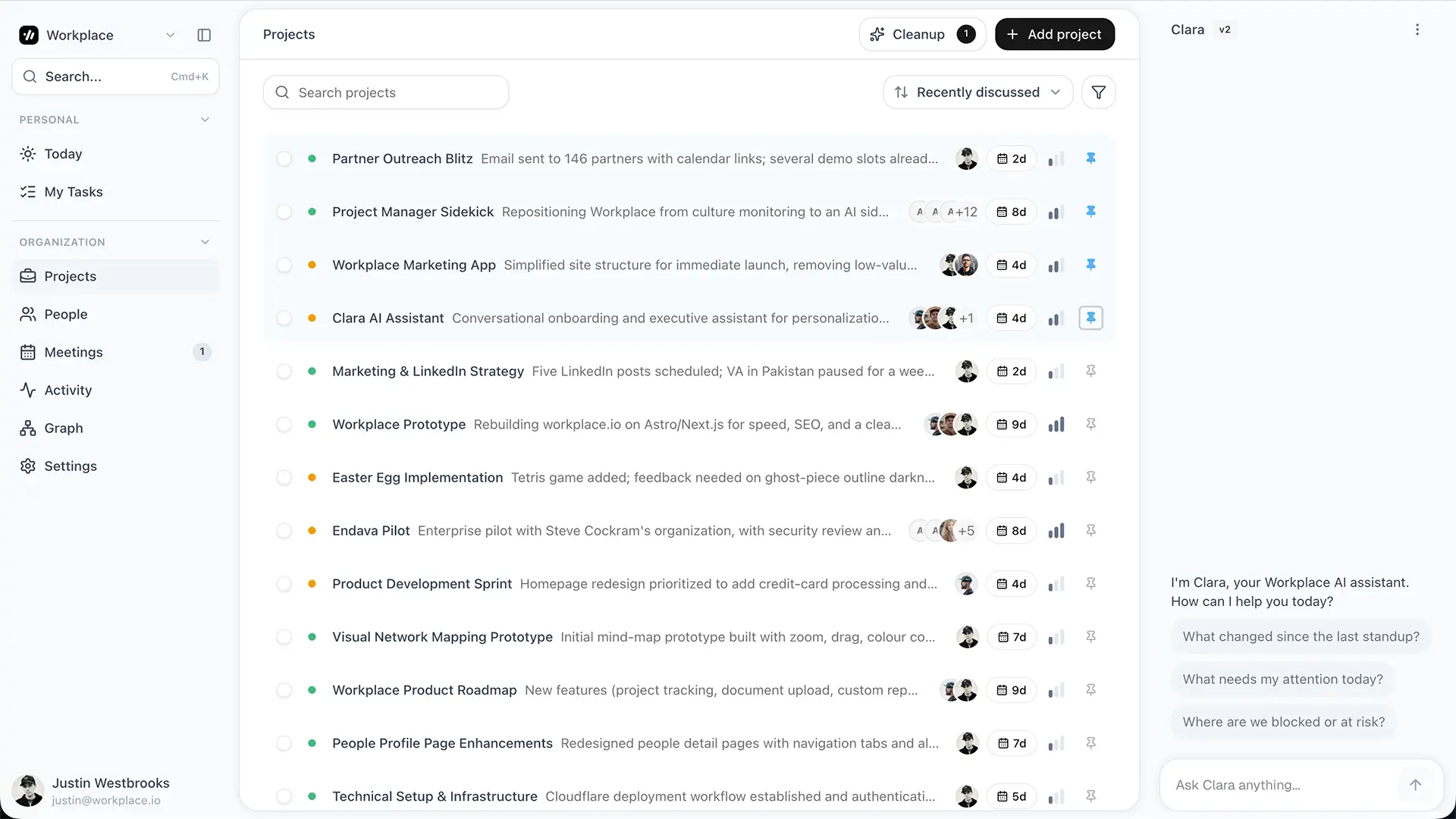
If you do not want to run the manual method laid out in the playbook, Workplace handles the whole process automatically. Watch the video above to see how it works.
The AI Project Management Playbook
Most teams are using AI like it is 2023. Record the call. Get a summary. Copy-paste action items. Update the board. Ping the owner. Ask for status again next week. That is not automation. That is admin work with a smarter notepad.
AI project management changes the model completely. Claude is not a prettier dashboard. It is a project operator that runs the workflow continuously, while you are in the meeting that creates the work. The six layers below are how you get there. The folder you set up, the skills you install, the coaching that makes them stick.
Why projects go off the rails.
It is rarely the work. Teams that ship great products miss launches all the time. The pattern is the same every time.
- A decision gets made in a meeting and never written down.
- An action item lives in someone's head until Friday.
- A project goes quiet for two weeks and nobody notices until it is on fire.
- The status doc is always one week behind reality.
None of this is solved by another tool with a kanban view. It is solved by changing how information flows. That is what the rest of this playbook does.
A good system has six layers.
Every project tracking system that actually works does the same six things. Most teams do one or two by hand and skip the rest, which is why their projects drift.
- Capture. Every conversation lands in one place.
- Extract. Decisions, action items, and risks come out of the noise.
- Route. Every item is filed against the right project.
- Synthesize. Every project page reflects current reality.
- Surface. Drift, missing owners, blockers, and scope creep show themselves.
- Escalate. The right person hears about it in time to act.
For each layer, this playbook gives you the principle, the skill that runs it, the coaching that makes it stick, and a screenshot of what a healthy version looks like.
Important. Install the free Claude Code skill pack first. It takes about two minutes. The rest of this playbook coaches you on how to use it well.
Capture every conversation.
The ingestion layer
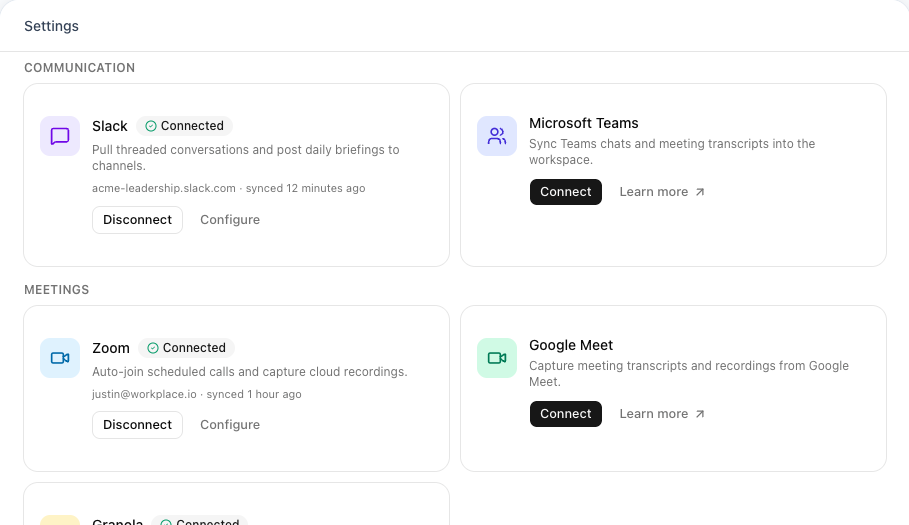
The principle. Every conversation that touches a project needs to leave a trace somewhere. The more sources you capture, the more accurate your dashboard will be. Anything that lives only in someone's head is lost by Friday.
Workplace handles this automatically with integrations (see below).
How to make this work.
- Capture meetings any way you can. Voice recording, transcript, a typed paragraph after the call, or a photo of your notebook. Bullet points on a sticky note beat nothing.
- Project signal lives outside meetings too. Copy important Slack threads and emails into a notes folder.
- Aim for habit, not perfection. Two captures a day beats five one day and zero for the next four.
Pull out what matters.
The extraction layer
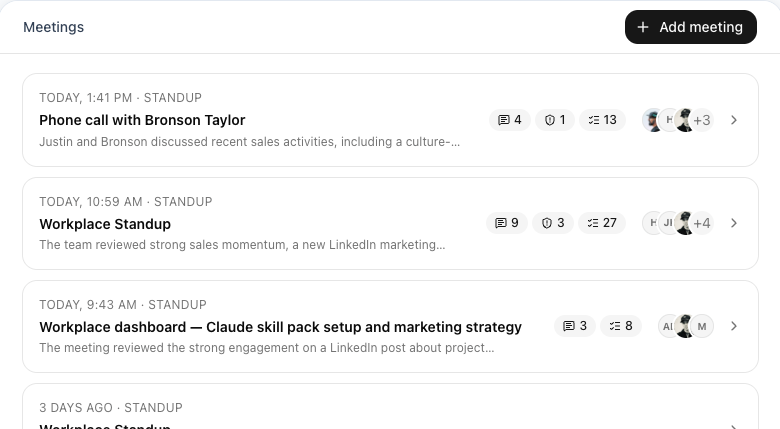
The principle. A raw transcript is noise. The signal is the handful of decisions, action items, and risks inside it. If you do not extract those into structured form, they sit in a recording nobody opens again.
Workplace does this automatically on every transcript that arrives (see below).
The skill. process-meeting handles extraction the moment you paste notes.
How to make this work.
- Run
process-meetingafter every call. Long transcripts work fine, do not pre-summarize. - Read the output before accepting it. Misses usually cluster around wrong owners and softened decisions.
- Triage hard. A meeting can produce twelve decisions and two actually matter. Star those, archive the rest.
Tie every item to a project.
The routing layer
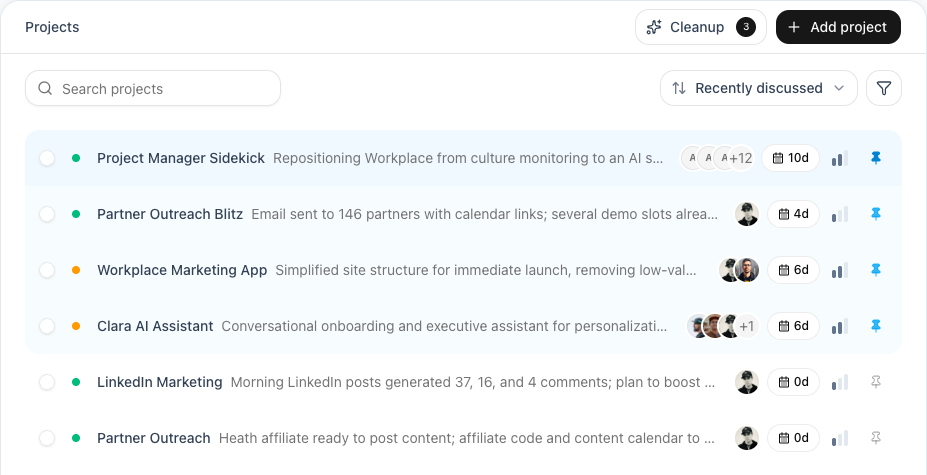
The principle. A decision about the pricing launch belongs on the pricing launch project. If it lives in a transcript folder, it is invisible the moment someone asks about it.
Workplace matches items to projects automatically across every meeting (see below).
The skill. process-meeting auto-routes every item to the right project entry in your dashboard.md.
How to make this work.
- Name projects so they disambiguate themselves. "Pricing launch" beats "Pricing." "Q3 hiring" beats "Hiring."
- Review auto-created projects within a week. They pile up fast and you stop trusting the dashboard.
- A meeting can touch multiple projects. The skill files items in all of them. You do not need to split anything manually.
Keep the dashboard alive.
The synthesis layer
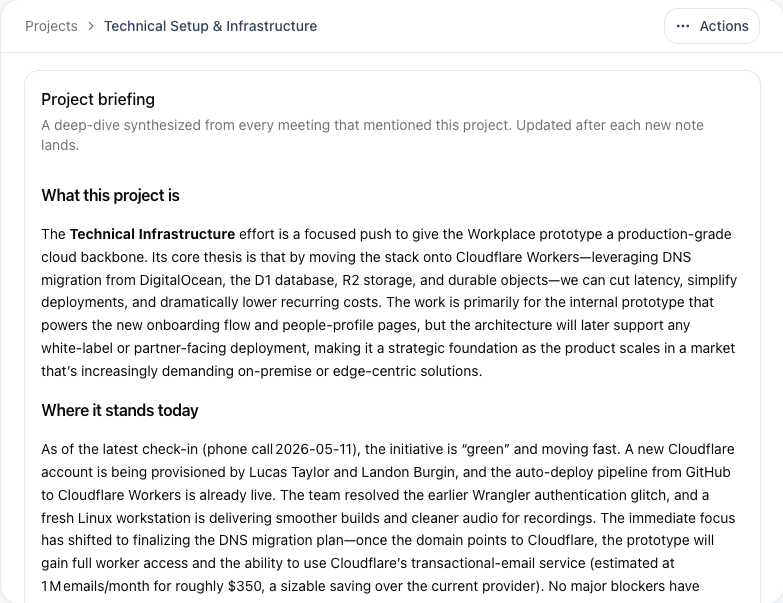
The principle. A dashboard is only useful if it reflects right now. The moment "current status" means "what we wrote down on Friday," people stop trusting it and start asking in Slack.
Workplace rewrites each project page after every meeting (see below).
The skill. weekly-rollup regenerates a clean, current status doc from your dashboard.
How to make this work.
- Run
weekly-rollupFriday morning. Paste the output into Slack or email. Status doc done. - The rollup pulls from the live state of dashboard.md. A gap shows up if you skipped processing a meeting. Use that as a forcing function.
- For high-stakes stakeholders, tell Claude which projects to include and what level of detail. The default is fine for the team, not the board.
Surface every signal that matters.
The attention layer
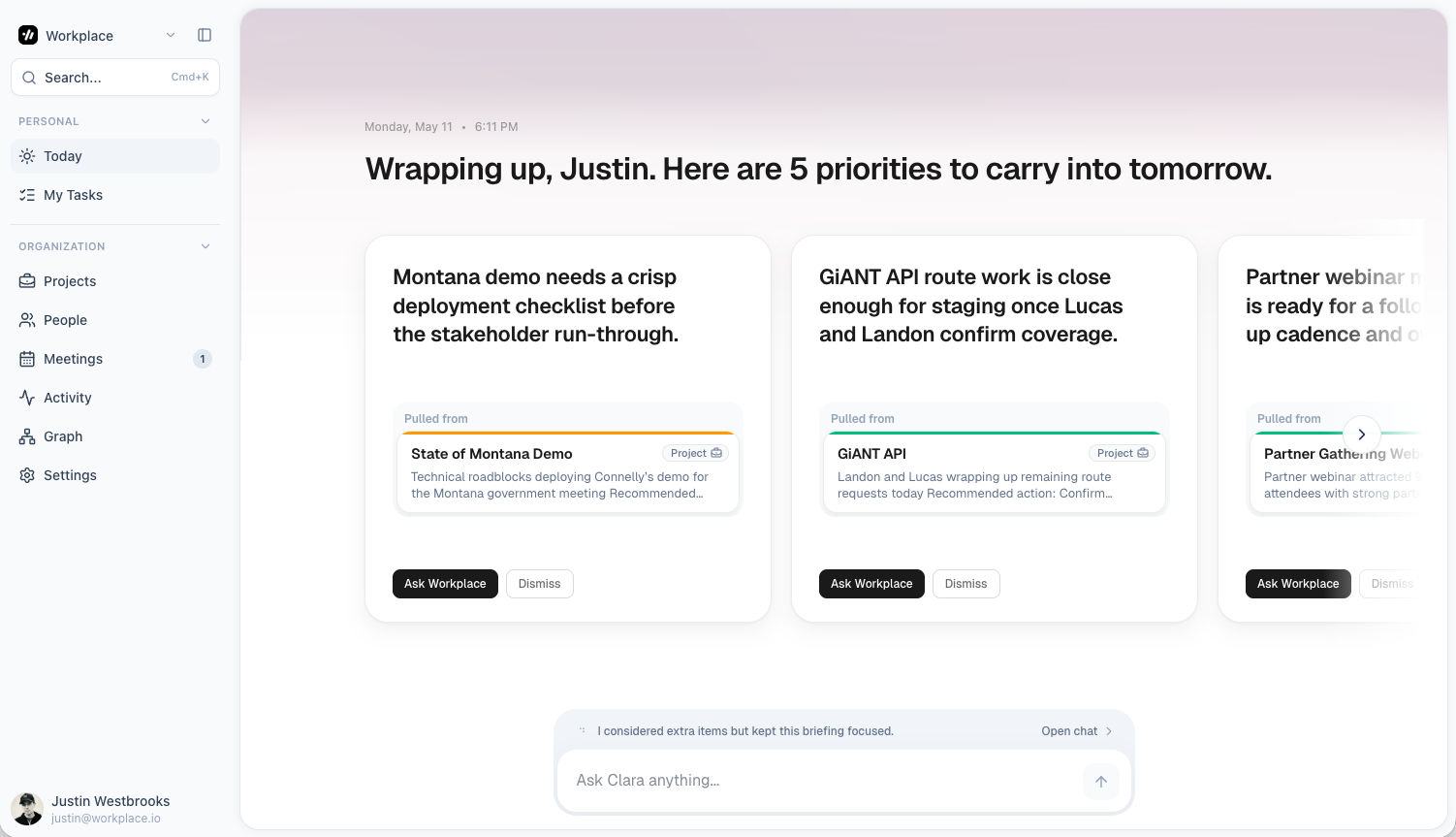
The principle. A project does not just die from being forgotten. It dies from missing owners, hidden blockers, and scope drifting until the original goal disappears. A good system surfaces all four signals before someone has to ask.
Workplace flags every kind of project risk in your daily briefing (see below).
The skill. find-stalled-projects covers the most common case. The same approach (asking Claude a clear question against dashboard.md) catches the rest.
How to make this work.
- Drift. Run
find-stalled-projectsMonday morning. A 30-second check prevents a Friday fire. - Owners and blockers. Once a week, ask Claude to scan dashboard.md for any active project or action item with no owner, and to list every open blocker by age. Old blockers stay open because nobody escalated. Together these cover most unsurfaced risk.
- Scope creep. Compare each project's current "next step" to what it was a month ago. If the goal is materially different, you have scope creep, not progress.
Escalate when it matters.
The escalation layer
The principle. Surfacing a risk is not enough. Someone has to decide whether to act on it and who needs to know. Most teams skip this step, which is why projects rot quietly even when the warning signs were obvious.
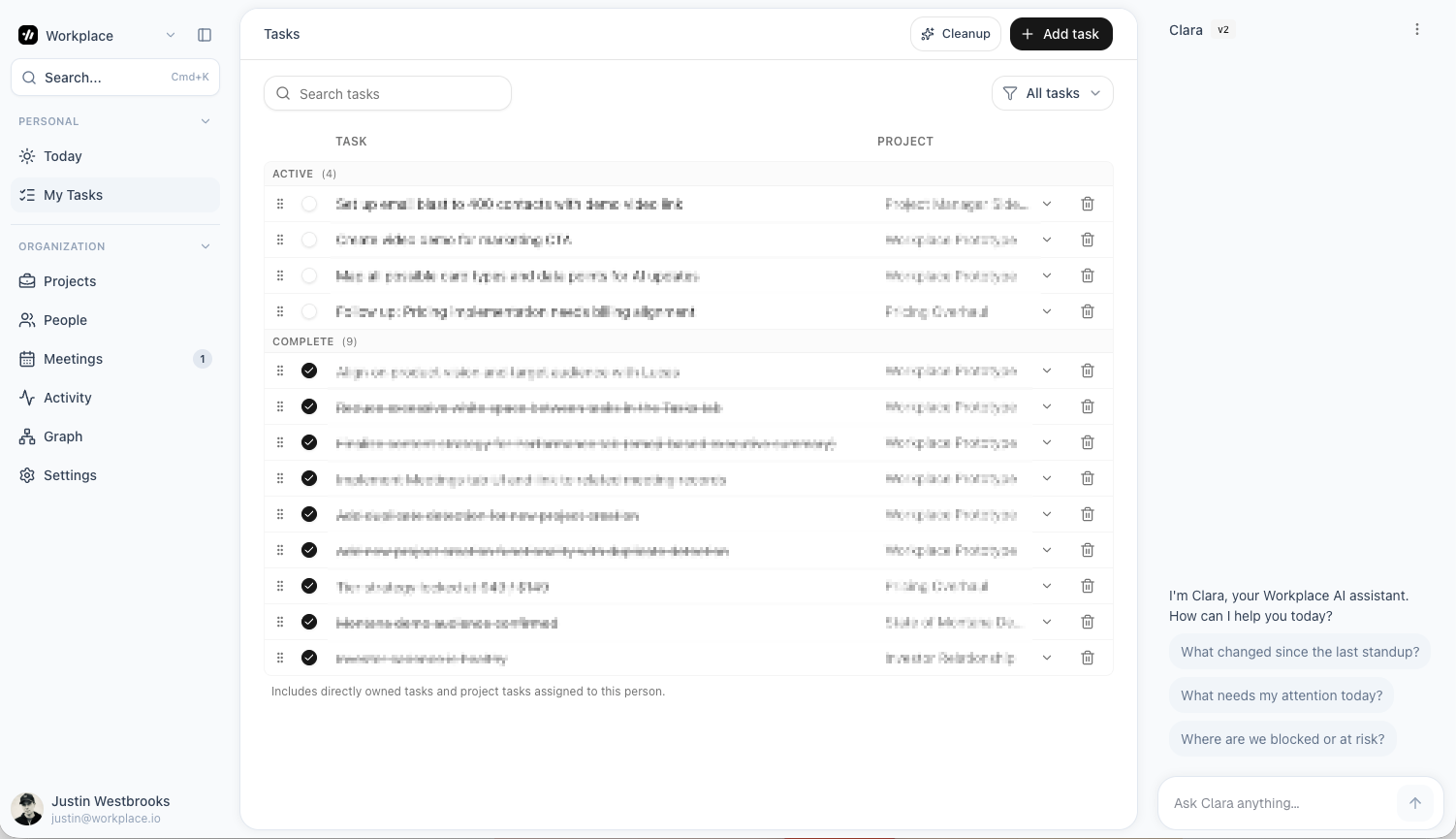
Workplace routes escalations to the right person automatically based on project ownership and severity (see below).
The skill. Use Claude directly. Ask it to score risks by severity, list who needs to know, and draft the escalation message.
How to make this work.
- Set a threshold per signal before anything else. A blocker open more than two days. A project stalled more than three weeks. An action item past due by a week. Threshold first, escalation second.
- Tell Claude who owns escalations for each kind of risk. Technical blockers go to the engineering lead. Scope creep goes to the PM. Stalled work goes to the project sponsor.
- Make the escalation message do real work. Include what is at risk, what is needed, and a proposed next step. "FYI this is stalled" is not an escalation.
Your weekly rhythm.
When all six layers are in place, the cadence becomes simple. You only need three moments in your week.
Paste your notes into Claude. Run process-meeting. Done in under two minutes.
Run weekly-rollup. Paste the output into Slack or email. Status doc is done.
Run find-stalled-projects. Decide on each one. Revive, pause, or kill.
That is the whole system. The first week feels mechanical. By the second week the habit is yours.
Want this without the manual paste?
Workplace runs all six layers automatically. Calls and transcripts flow in from the tools you already use. Decisions and action items get extracted as they happen. Project pages stay current without anyone touching them. Risk signals surface in your daily briefing and route to the right person before anything breaks.
Most teams stop using the skill pack within a month of switching, not because it stopped working, but because they realized they did not need to paste anything in.